Insight Management
The Insight Management is the gaming history that display the sessions' information which have been created from a game.
How to access to the Insight Management:
- After signed in, click on Insight Management on the left menu
- Click on the Game Insight
Game Insight
To view the gaming history, the Operator requires to select the Game first.

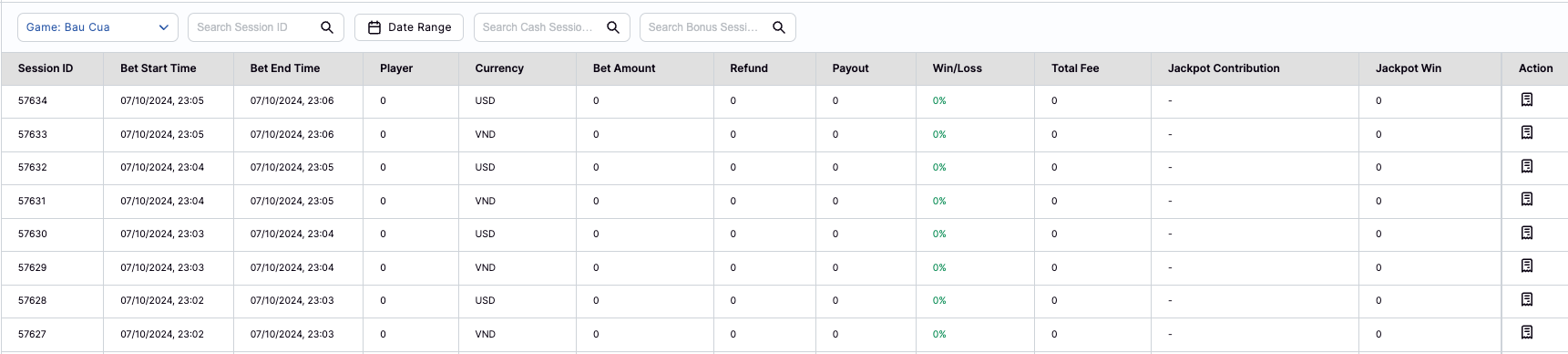
After selected the game, the data of the game will be displayed in the table with:
- Session ID: the ID of the Session
- Bet Start Time: the starting time of the bet
- Bet End Time: the ending time of the bet
- Player: the number of players who have joined to the session
- Currency: the using currency of the session
- Bet Amount: the total betting amount of the session
- Refund: the refund amount of the session (if any)
- Payout: the payout amount if the session
- Win/Loss: the ratio of Win/Loss
- Formula: (Payout / Bet) * 100
- Total Fee: the total fee of the session
- Jackpot Contribution: the total amount that has been contributed to the Jackpot
- Jackpot Win: the Jackpot winning amount that has been paid to players in the session
- Action: view the session's log
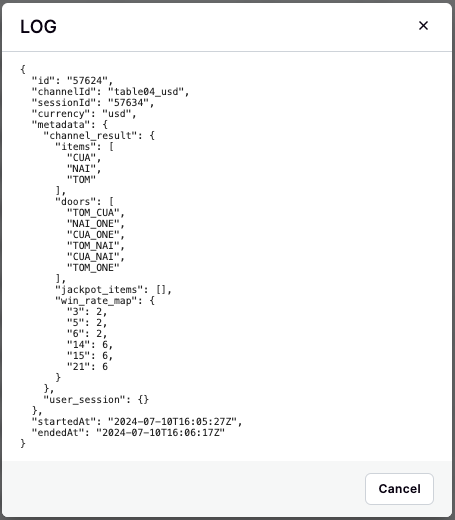
In case of the Operator needs to check the detailed information of a session, clicking on the log icon in the Action column. The detailed content of the session will be displayed in JSON format.
Search and Filters
The Game Insight supports the Searching and Filters for browsing data quickly and efficiently.
-
Searching
- Session ID: the session id of the game
- Cash Session ID: the session id which using Cash to bet
- Bonus Session ID: the session id which using Bonus to bet
-
Filters
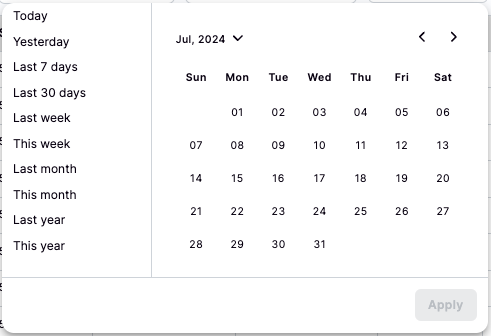
- Date Range